Software-Development
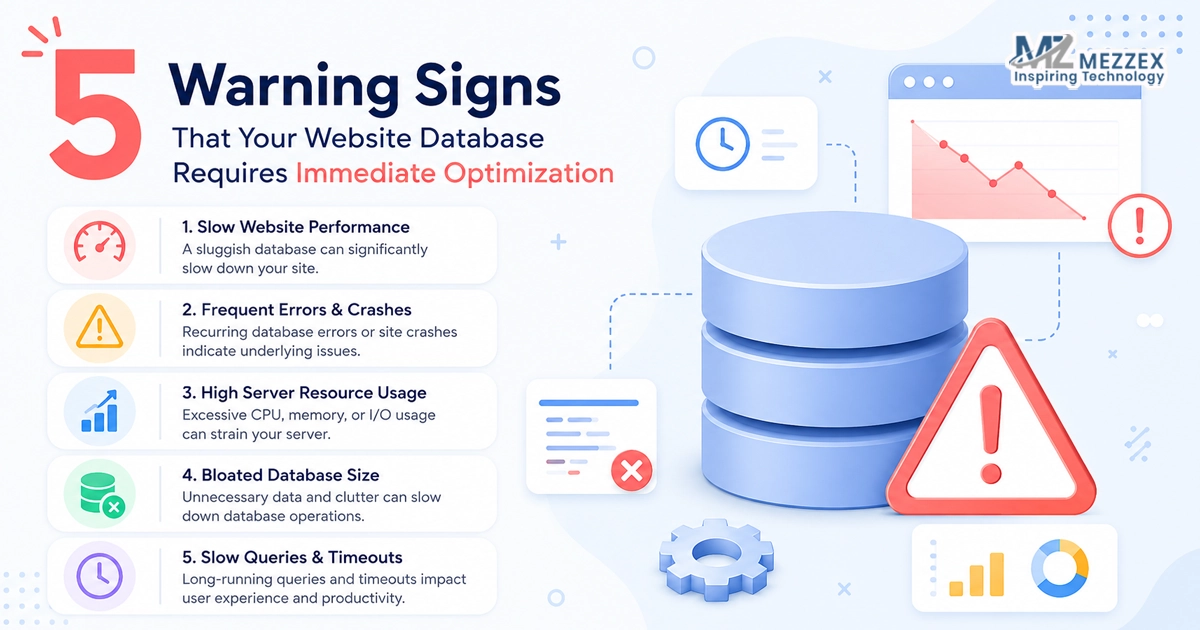
5 Warning Signs That Your Website Database Requires Immediate Optimization
5 Warning Signs That Your Website Database Requires Immediate Optimisation
Your website database acts as the central brain of your digital storefront. Every product listing, user profile, and transaction relies on this database to function correctly. A bloated or fragmented database actively destroys your website performance. Users abandon digital platforms immediately upon experiencing delays or crashes. Ignoring early warning signs leads to severe data corruption and complete system failure. At Mezzex, we focus on building and maintaining high-performance digital experiences. A strategic optimisation approach removes operational friction and guarantees stable execution. Read our comprehensive guide on the five warning signs that your website database requires immediate optimisation.
1. Exceptionally Slow Page Load Speeds
- A sudden drop in page load speed points directly to an overwhelmed database architecture.
- Browsers struggle to render pages when the server takes too long to retrieve information from the database tables.
- Heavy traffic spikes expose inefficient database queries dragging down the entire system response time.
- Users expect near-instant access to digital information and refuse to wait for sluggish platforms.
- Unoptimised databases force the server to scan thousands of rows of data just to load a single product page.
- We provide comprehensive website designing and development services to identify and resolve these hidden bottlenecks.
- Our development team writes clean, efficient code to ensure your database queries execute within milliseconds.
- Implementing precise database indexing allows the server to locate specific information instantly without scanning every row.
- Regularly clearing out spam comments, post revisions, and expired transients reduces the overall database size significantly.
- Optimising your backend structure ensures your website delivers high-speed user journeys consistently.
2. Frequent Connection Timeouts and Error 500 Messages
- Recurring connection timeouts indicate your database fails to process concurrent user requests effectively.
- An internal server error often means the database reaches its maximum connection limit and drops new users entirely.
- These connection failures frustrate potential buyers and push them directly to your competitors.
- Search engine bots fail to crawl your website when they encounter these persistent 500 error codes.
- A drop in crawling frequency damages your search rankings and reduces your organic traffic visibility.
- Our web developers monitor your server logs to pinpoint the exact queries triggering these fatal database crashes.
- We engineer digital systems focusing on stable, high-capacity architectures capable of handling heavy simultaneous traffic.
- Upgrading your database software version introduces better resource management and eliminates spontaneous timeouts.
- Configuring connection pooling allows your application to reuse existing database connections rather than constantly creating new ones.
- Resolving timeout issues immediately protects your brand reputation and secures your daily revenue stream.
3. Spikes in Server CPU and Memory Usage
- Consistent spikes in server CPU usage reveal a database working excessively hard to process basic requests.
- Complex, unoptimised SQL queries consume massive amounts of server memory and starve other essential website processes.
- Hosting providers often throttle your bandwidth or suspend your account when your database monopolises shared server resources.
- Monitoring your hosting dashboard reveals abnormal memory consumption patterns linking directly to poor database performance.
- Our specialists integrate secure systems to ensure a reliable end-to-end fulfilment service without overloading your server.
- We analyse your database structure to eliminate redundant tables wasting valuable computational power.
- Caching frequently accessed data at the application level prevents the server from querying the database for identical requests.
- Offloading search functions to dedicated search engines reduces the intense processing load on your primary database.
- Scaling your server hardware provides a temporary fix, while true optimisation solves the underlying structural issues permanently.
- A highly optimised database runs quietly in the background and consumes minimal server resources during peak operation.
4. Sluggish Backend Dashboard Performance
- A slow backend dashboard acts as the earliest indicator of severe database fragmentation and bloat.
- Administrators experience massive delays when attempting to update product inventory or publish new blog articles.
- Updating a simple plugin or saving a draft takes several minutes instead of a few seconds.
- This sluggish administrative execution destroys your team's productivity and delays critical business operations.
- The backend dashboard relies on complex database queries to aggregate sales data and user statistics.
- We create content-rich websites offering hassle-free management through our comprehensive CMS development services.
- Our UK-led teams build e-commerce platforms focusing on streamlined administrative interfaces and rapid backend execution.
- Cleaning up orphaned metadata and removing unused plugin tables restores the speed of your administrative control panel.
- Disabling aggressive background tasks, such as automated heartbeat intervals, prevents constant database polling.
- Restoring backend speed empowers your team to manage the digital storefront efficiently and without unnecessary frustration.
5. Stalled or Failing Database Backups
- Routine database backups stall or fail when the database size exceeds the processing limit of the server.
- A massive, unoptimised database generates backup files too large to transfer or store reliably.
- Failing to secure regular backups leaves your business entirely vulnerable to catastrophic data loss and cyber-attacks.
- Restoring a bloated database during an emergency takes hours, resulting in extended, costly website downtime.
- We focus on unbreakable security and consistent transparency to protect your most valuable digital assets.
- Our web designers and developers implement automated, lightweight backup solutions tailored to your specific architecture.
- Excluding non-essential tables, such as temporary session data or analytics logs, reduces the backup file size instantly.
- Scheduling database maintenance tasks before backup execution ensures the system saves a clean, compacted version of your data.
- Splitting large databases into smaller, manageable archives allows for faster and highly reliable cloud storage transfers.
- Guaranteeing flawless backup procedures provides absolute peace of mind and secures your long-term business continuity.
Frequently Asked Questions
What causes a website database to become bloated?
- Website databases accumulate unnecessary data over time through normal daily operations.
- Deleted post revisions, spam comments, and expired temporary options remain stored in the tables indefinitely.
- Uninstalled plugins leave orphaned data behind, cluttering the architecture completely and slowing query times.
How often does a database require professional optimisation?
- High-traffic e-commerce platforms require monthly database optimisation to maintain peak performance and prevent crashes.
- Standard business websites benefit from a thorough database clean-up every single quarter.
- Regular monitoring detects sudden performance drops and signals the need for immediate technical intervention.
Does database optimisation improve search engine rankings?
- Search engines prioritise fast-loading websites to deliver the best possible user experience.
- An optimised database reduces server response times directly, boosting your core web vitals and overall site speed.
- Faster websites crawl more efficiently, allowing search bots to index your new content rapidly.
Can an unoptimised database compromise website security?
- Outdated and cluttered databases contain vulnerabilities easily exploited by automated malicious scripts.
- Storing excessive, unused data increases the potential damage and liability of a successful data breach.
- Regular maintenance updates the database structure and closes critical security loopholes effectively.
What is database indexing and how does it work?
- Indexing functions exactly like a structured table of contents for your website database.
- It prevents the server from scanning every single row of data to find a specific piece of information.
- Proper indexing allows the application to locate and retrieve targeted data in milliseconds.
Book A Free Consultation Today
A secure and highly optimised digital storefront drives revenue and secures long-term client relationships. At Mezzex, we specialise in professional website designing and development to eliminate backend friction and guarantee maximum platform performance. We build robust, secure, and user-centric systems meeting your exact technical requirements. Book a free consultation with our development experts today to audit your current database architecture and unlock your full digital potential. Reach out to our UK team directly at +44 121-6616357 or email us at [email protected] to start your system upgrade. Visit https://mezzex.com/services/website-designing-development to explore our comprehensive range of custom solutions.