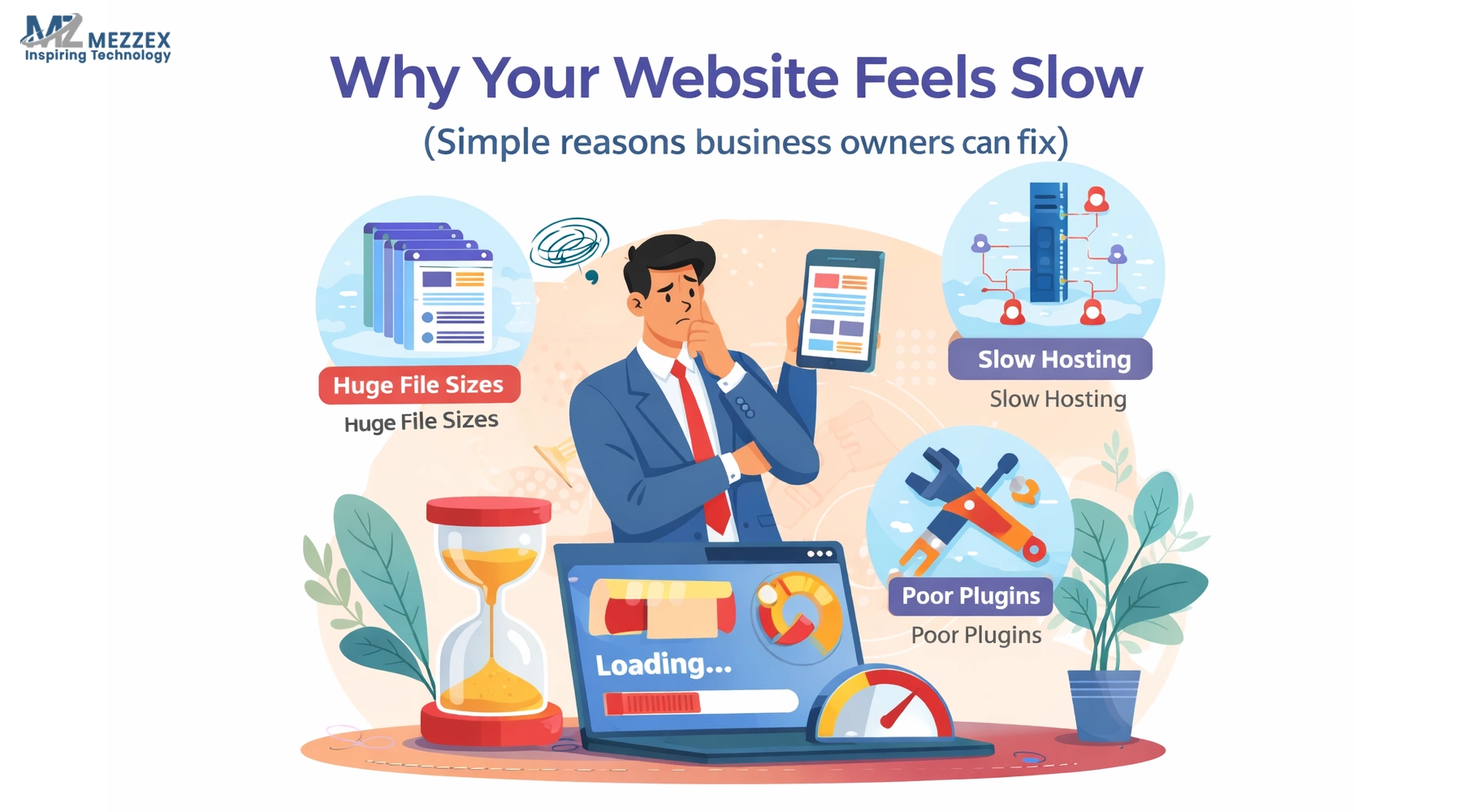
A website rarely slows down in one obvious moment. It happens through small updates. A new banner goes live. A tracking tag stays active after a campaign ends. A plugin gets added for one feature. Blog images grow heavier. Product pages gain more media. Month by month, the site that felt sharp at launch starts to feel delayed on mobile, weaker on forms and slower through checkout. Website speed post-launch needs ownership because every change affects the user journey. These ten strategies help businesses keep loading times, page response and site stability under control after launch.
Why Website Speed Drops After Launch
-
A new website often performs well at launch because the design, code, images and scripts go through testing before release.
-
Speed problems usually start after daily updates begin, especially when several teams add content or tools without checking load impact.
-
Marketing teams may add pop-ups, campaign banners, review widgets, heatmaps, ad pixels and chat tools.
-
Ecommerce teams may upload product images, product videos, filters, apps, size guides and seasonal offer blocks.
-
Content teams may publish blog graphics that look fine visually but carry large file sizes.
-
Developers may update themes, CMS settings or plugin versions without retesting key pages on mobile.
-
Maintaining website speed post-launch means treating every update as part of website performance, not just a content or design change.
1. Monitor Core Web Vitals Every Month
-
Core Web Vitals give businesses a practical way to measure how real users experience a website.
-
LCP shows how long the main page content takes to appear. In real use, this can mean the hero banner, product image or main service section loads too slowly.
-
INP measures how quickly the site responds when a user clicks, taps, types or interacts with a form.
-
CLS checks visual stability. A poor score often means images, buttons, banners or cookie notices jump while the page loads.
-
These metrics matter because users do not judge a website only by design. They judge how quickly it feels ready.
-
Monthly checks in Google Search Console and PageSpeed Insights help spot problems before they affect enquiries, sales or paid landing pages.
-
A web performance audit also gives teams evidence, so they fix the real issue rather than guessing.
2. Compress Images Before Every Upload
-
Images create many post-launch speed problems because they keep entering the website through blogs, banners, product pages and case studies.
-
A 4MB homepage banner can undo careful website development work in one upload.
-
Product images, service graphics and blog visuals need resizing before they reach the CMS.
-
The image file should match the space where it appears. A small card image does not need a large desktop-size file.
-
Modern formats can reduce file weight while keeping images clear for users.
-
File names should describe the image in plain language, and alt text should support SEO and accessibility.
-
A simple upload rule protects speed: resize first, compress next, rename clearly, add alt text, and only then publish.
3. Keep Plugins, Apps And Add-Ons Under Control
-
Plugins and apps can improve a website, but each one adds code, scripts, styles or database activity.
-
Post-launch teams often add tools for forms, bookings, email capture, chat, reviews, pop-ups, social feeds, analytics and product features.
-
The problem starts when several tools do similar jobs or old tools remain active after a test ends.
-
Every plugin needs a clear purpose, an owner and a review date.
-
Unused plugins need removal, not just deactivation, because they can still create maintenance and security concerns.
-
Active plugins need updates, but updates also need testing because they can affect layout, forms or page speed.
-
For WordPress, Shopify, Joomla, ecommerce and CMS builds, a controlled plugin list helps the website stay lighter after launch.
4. Keep Tracking Tags Clean
-
Tracking matters because businesses need to measure enquiries, sales, calls, forms, product views and user drop-offs.
-
Tracking becomes a speed issue when old campaign tags, duplicate pixels or all-page firing rules stay in place for too long.
-
Google Ads, Meta, TikTok, heatmaps, affiliate tools and email platforms can all add extra script load.
-
Google Tag Manager works best when each tag has a purpose, trigger and review schedule.
-
Not every tag needs to run across the whole website. Some only belong on thank-you pages, checkout pages or selected landing pages.
-
Old pixels from finished campaigns need removal before they become invisible page weight.
-
A clean tracking setup keeps data useful without making visitors wait for scripts that no longer serve the business.
5. Test Mobile Speed Before Desktop Comfort
-
Business owners often check a website on a laptop, strong Wi-Fi and a familiar browser.
-
Customers often arrive through mobile search, social posts, email links, ads or comparison shopping.
-
A page that feels fine in the office can feel slow on mobile data.
-
Mobile website speed affects menus, image loading, filters, form fields, basket pages, quote requests and click-to-call buttons.
-
Testing needs to cover the homepage, main service pages, product pages, blogs, landing pages and enquiry forms.
-
Buttons should respond without delay, forms should load cleanly, and images should not push text or calls to action down the screen.
-
Mobile-first checks show what real visitors experience before they leave, hesitate or start comparing competitors.
6. Maintain Caching And CDN Settings
-
Caching allows common pages and files to load faster because the website does not rebuild everything from the start each time.
-
A CDN can deliver files from servers closer to the user, which supports faster loading for visitors in different areas.
-
These settings need checks after hosting changes, plugin updates, theme work or development releases.
-
Cache problems can show old content, break forms or slow sections that previously worked well.
-
Dynamic pages need care. Basket, checkout, account pages and logged-in dashboards cannot follow the same cache rules as a blog page.
-
Cache clearing also needs control. Clearing everything too often can slow the website while files rebuild.
-
Good technical upkeep keeps caching useful without putting live forms, checkout or user sessions at risk.
7. Review Homepage Banners And Media
-
Homepage speed often drops after launch because campaign graphics replace a lighter launch design.
-
Large banners, auto-play videos, animations, sliders and background images can slow the first impression.
-
A single clear banner often works better than a slider with several messages that most users never read.
-
Seasonal campaigns need compression and size checks before they go live.
-
Video should not block the main page content from loading. It works better when it loads after key content appears.
-
Background images need special care because they can carry large file sizes while adding little value on mobile.
-
A media review keeps design and marketing active without weakening page speed optimisation.
8. Audit Product, Checkout And Lead Pages
-
Speed maintenance should focus first on pages that affect revenue.
-
Service websites need fast landing pages, contact forms, quote forms, booking forms and click-to-call routes.
-
Ecommerce websites need fast product pages, category pages, basket pages and checkout steps.
-
A slow product page can stop shoppers from comparing products, reading details or adding items to basket.
-
A slow form can reduce enquiries because users lose patience when fields lag or validation takes too long.
-
A slow checkout can increase abandonment, especially on mobile.
-
Testing the full journey after major updates gives a clearer picture than testing the homepage alone.
9. Remove Unused Code, CSS And Scripts
-
Websites collect extra code after redesigns, plugin changes, quick fixes, landing page tests and feature removals.
-
Old CSS can remain in theme files even when the related section no longer exists.
-
JavaScript libraries can stay active after a feature gets replaced.
-
Unused scripts can slow the first load and delay interaction.
-
Developers can remove redundant files, minify code and defer non-critical scripts.
-
Backend checks matter too because slow database queries or server response times can affect page speed before the front end even loads.
-
This is where a website development company adds value beyond visual changes, because speed often depends on code quality, server setup and page structure together.
10. Make Speed Part Of Post-Launch Support
-
Website speed needs a clear owner after launch.
-
Every new campaign, landing page, plugin, image batch, tracking setup or design change needs a speed check.
-
A performance log can record Core Web Vitals, plugin changes, script changes, image updates and technical fixes.
-
Larger websites benefit from quarterly web performance audits.
-
Ecommerce sites need checks before sale periods, product feed pushes and seasonal campaigns.
-
Service websites need checks before paid ad campaigns send traffic to landing pages.
-
Fast websites stay fast because teams follow a process, not because the launch build was strong.
Quick Post-Launch Speed Mistakes To Avoid
-
Uploading full-size images straight from a designer, camera or supplier.
-
Adding two or three plugins for tasks one tool can handle.
-
Leaving heatmaps, pixels or test scripts active after a campaign ends.
-
Checking desktop only and assuming mobile users get the same experience.
-
Using sliders where one campaign banner would load faster and communicate more clearly.
-
Ignoring basket, checkout, quote and form pages during speed reviews.
-
Updating CMS, theme or plugin settings without testing key journeys afterwards.
-
Treating website speed monitoring as a one-off launch task rather than part of website maintenance.
Why Mezzex Supports Website Speed Beyond Launch
-
Mezzex provides website designing and development for business websites, ecommerce websites, CMS builds, B2B portals, B2C websites and custom web applications.
-
The service covers WordPress development, ecommerce development, PHP, .NET, Joomla, CMS development and UI design.
-
Website speed connects with each part of that work because performance depends on code, content, hosting, design, tracking and ongoing support.
-
SEO-friendly website development needs more than page titles and content. It also needs clean structure, responsive pages and stable user journeys.
-
Mezzex works across frontend, backend, database and design tools, which helps when a website needs a deeper technical review.
-
Post-launch support helps protect performance as the site gains pages, scripts, products, campaigns and user data.
-
A website that stays fast gives visitors a clearer path from landing page to enquiry, basket, checkout or contact form.
Keep Website Speed Ready For Real Users
Website speed needs regular attention after launch. New content, plugins, tracking tags, images and design updates can all change how quickly users move through a website. Mezzex supports businesses with website design, development, CMS builds, e-commerce websites and ongoing technical improvements that keep performance in focus. A post-launch performance review can show which pages, scripts, images or user journeys need attention. Speak to Mezzex about website speed monitoring, technical fixes and development support that helps your website stay usable, stable and ready for real customers.